A conveyor sensor that works on a test bench can miscount products, miss a jam, or fail prematurely when dust, vibration, metal clearance, and PLC wiring are ignored. By the end, you will be able to match each conveyor task with the right sensing technology, define the installation parameters, and specify a sensor that fits the control system and Delhi operating environment.
Key takeaways
- Use inductive sensors for metal parts, shafts, cleats, buckets, and actuator positions.
- Set the target gap below the rated sensing distance and account for conveyor speed.
- Wire the sensor output to the PLC or relay input with the correct PNP or NPN logic.
- Specify IP67 or IP69K protection, connector type, cable length, and temperature range.
Where Proximity Switches Fit on a Conveyor
Use a proximity switch when the conveyor can present a repeatable target at a fixed point. An inductive model reliably confirms shaft rotation, counts metal parts, detects a missing bucket or cleat, verifies an actuator position, and interlocks conveyor sequences. Common proximity switch uses in material handling include transfer and end-of-line confirmation.
It does not sense a rubber belt, cardboard carton, wood pallet, or plastic package unless you add a metal flag; use photoelectric sensing for mixed nonmetallic loads. These are practical proximity switch applications for conveyor systems in Delhi.
| Task | Reliable arrangement | What it proves |
|---|---|---|
| Belt presence | Metal flag on the belt or drive component | Belt motion at the sensing point |
| Product counting | Metal part or flag on each item | Count of repeatable targets |
| Jam detection | Metal paddle or lever moved by buildup | Jam position, not the material itself |
| Chute blockage | Metal actuator triggered by rising material | Blockage at the chute |
| Pallet positioning | Metal flag or stop actuator | Pallet at the transfer point |
| Transfer confirmation | Metal target on the transfer mechanism | Mechanism reached position |
| End-of-line verification | Target on the carrier or item | Final arrival |
A switch detects the actuator, not belt alignment or blockage material directly. Do not use a standard proximity switch for guard opening or emergency-stop functions; use a validated safety circuit under ISO 13849-1 or IEC 62061. Check the target-material correction factor because aluminium, brass, copper, and stainless steel shorten inductive sensing distance.
Match the Sensor Technology to the Conveyor Target
Metal targets are the decisive choice: use inductive sensing for metal, photoelectric sensing for mixed packages, capacitive sensing for nonmetal material, magnetic sensing for magnets or ferrous actuators, and ultrasonic sensing when colour or transparency defeats light-based detection.
| Technology | What it detects | Best conveyor use | Main limitation |
|---|---|---|---|
| Inductive | Steel, aluminium, brass, copper, or stainless steel | Shaft rotation, metal-part counting, cleat or bucket confirmation, actuator position | It will not reliably detect cardboard, plastic, rubber, or wood; aluminium, brass, copper, and stainless steel reduce the rated range. |
| Capacitive | Cartons, plastic, grain, powder, liquid, and other materials | Product presence, chute blockage, level detection, and belt-load confirmation | Moisture, dust, and changing material density can alter the switching point. |
| Photoelectric | A beam interruption or reflected light | Counting mixed cartons, pallet positioning, transfer confirmation, and end-of-line verification | Dust, shiny surfaces, gaps, and poor alignment can create false signals. |
| Magnetic | A magnet or ferrous target | Cylinder position, pallet stops, guarded mechanisms, and mechanical belt-misalignment actuators | It needs a magnetic target or a mechanism that presents one. |
| Ultrasonic | Distance through sound | Detecting transparent film, clear containers, variable-colour packages, and gaps | Angled surfaces, heavy airflow, and soft sound-absorbing materials weaken the return signal. |
For proximity switches for conveyors, specify a repeatable metal face and gap instead of relying on a variable bracket or angled target. Proximity switches for conveyor equipment do not sense rubber-belt alignment directly; they detect a metal flag attached to a lever or roller.
Use that arrangement for belt-presence or jam interlocks, and check the derated sensing distance rather than the catalogue nominal.
Set the Sensing Geometry and Speed Requirements
Reliable detection starts with a target that matches the switch. An inductive unit needs a consistent metal target; it will not reliably see a cardboard carton, plastic package, rubber belt, or wooden cleat unless you add a metal flag.
Set these geometry checks:
- Keep the target within the rated sensing distance, then apply the manufacturer’s derating for target material, size, and thickness. A small stainless-steel target may be detected at a shorter distance than a larger mild-steel target.
- Leave the required metal-free space around a non-flush inductive sensor. Flush mounting permits surrounding metal at the sensing face; non-flush mounting needs a clear zone, or the bracket can cause false switching.
- Make the target face large enough to cover the sensing field and keep its path repeatable. A bent flag, eccentric shaft, or loose bracket changes the gap on every revolution.
Choose proximity switches for conveyors with a response frequency above the expected target-pulse rate. A zero-speed arrangement produces pulses; the controller measures the interval and triggers a timeout above the normal interval. Belt speed equals pulse frequency multiplied by shaft circumference, divided by targets per revolution, with the gearbox ratio included.
More targets improve low-speed resolution but shorten the available sensing time per target. Vibration can close that margin, so use a rigid bracket, lock the fasteners, and prevent cable movement. Inspect for metal filings on the face; contamination creates intermittent pulses.
Connect the Sensor to the Conveyor Control Circuit
Start with the control input, not the sensor: PNP or NPN must match the PLC’s commoning arrangement. A PNP output sources positive current into an input; an NPN output sinks current to 0 V.
| Option | Electrical behaviour | Use |
|---|---|---|
| PNP | Sources current to a PLC input | Choose for sourcing-input PLCs |
| NPN | Sinks current to 0 V | Choose for sinking-input PLCs |
| Normally open | Switches on when the target is detected | Presence, count, and position confirmation |
| Normally closed | Conducts until the target arrives or power is lost | Fault detection where a broken wire must create an alarm |
| Two-wire DC | Carries supply and load current through the same circuit | Simple relay or controller inputs rated for sensor leakage |
| Three-wire DC | Separate positive, 0 V, and output conductors | Preferred for PLCs, relays, and stable high-speed switching |
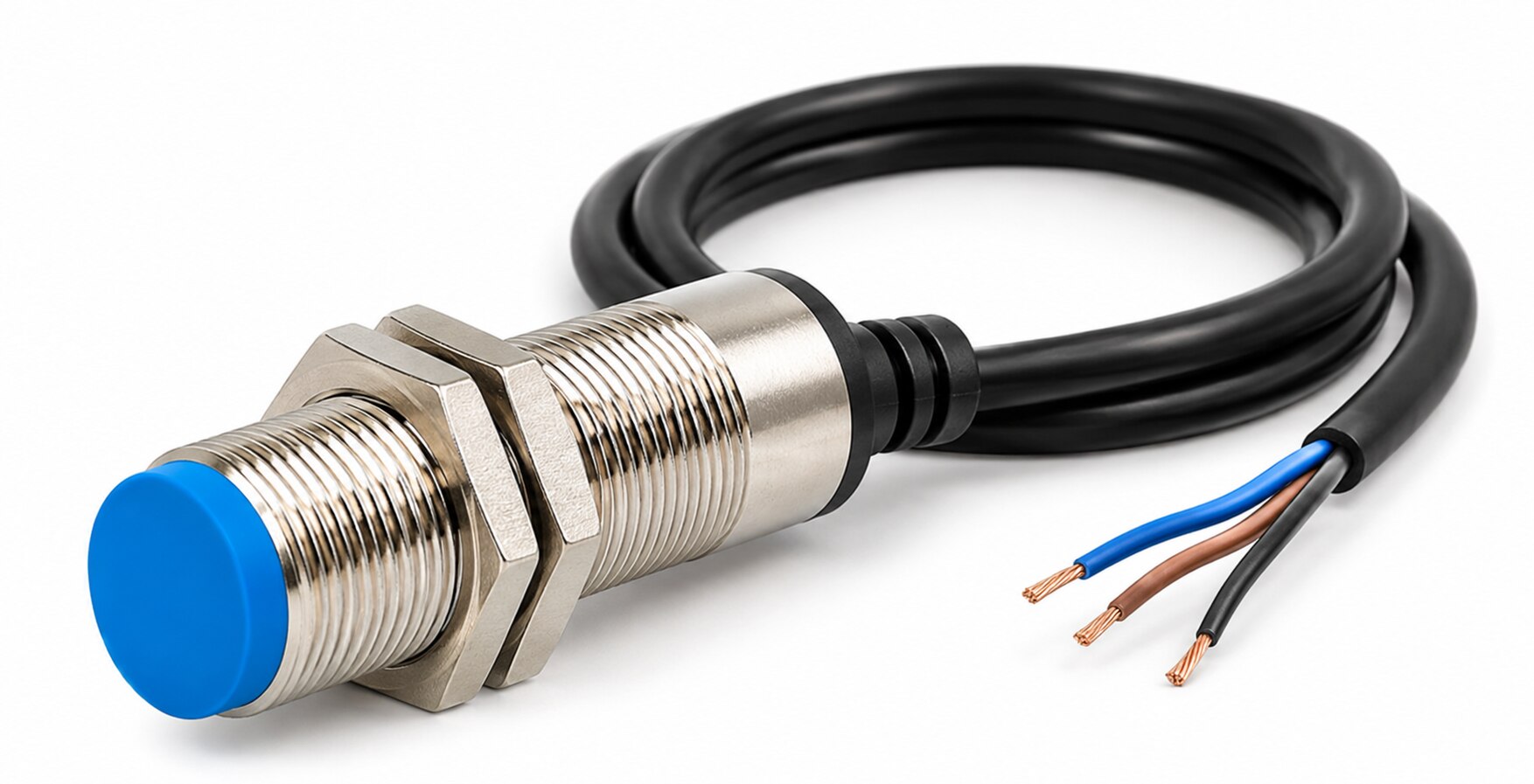
For a three-wire sensor, brown is normally +V, blue is 0 V, and black is the output; verify the manufacturer’s diagram before energising it. Connect a PLC input directly when its voltage and current ratings match.
Drive a motor starter coil or VFD run/interlock input through the specified interface or interposing relay, never from an underrated sensor output.
Two-wire sensors can leak enough current to keep a small relay or PLC input partly energised. Select a compatible input, add the manufacturer-approved load resistor, or use three-wire wiring.
Choose NO or NC for the required fault response. Ordinary proximity switches are not emergency-stop or guard safety devices; use a validated safety circuit for those functions. These choices determine reliable proximity switch uses in material handling.
Specify Sensors for Delhi Dust, Washdown, and Procurement Conditions
Dust and washdown change the specification, not just the maintenance schedule. For industrial proximity switches in delhi, state the IP rating, operating-temperature range, connector or cable-entry type, and cleaning method. IP67 covers temporary immersion; high-pressure washdown requires a device and connector rated for that exposure, such as IP69K where applicable.
Complete this procurement check before installation:
- Confirm the target: inductive sensors need a conductive metal target, while cardboard, plastic, rubber, and wood need another technology or a metal flag. For aluminium, brass, copper, or stainless steel, apply the manufacturer’s correction factor to the nominal sensing distance.
- Inspect the datasheet for IEC 60947-5-2 terminology, rated voltage, output type, switching frequency, hysteresis, repeat accuracy, temperature range, and the sensing distance after target derating.
- Specify a sealed connector or cable gland, strain relief, spare cable length, and a written inspection method for dust, metal filings, loose glands, and contamination on the sensing face.
- Obtain the wiring diagram, batch or part traceability, declaration of conformity, and replacement lead time. Ask whether the device is suitable for the actual wash chemicals and any classified hazardous location; IEC 60947-5-2 alone does not prove that suitability.
- Do not use a standard switch for guarding or emergency stop functions. Validate a safety-rated circuit and architecture against ISO 13849-1 or IEC 62061.
For proximity switch applications for conveyor systems in delhi, MAXGTECH can help compare equivalent part numbers against these documented conditions rather than substituting a sensor on nominal range alone.
Frequently asked questions
Where do proximity switches fit on a conveyor?
Mount them at fixed points to confirm shaft rotation, count metal parts, detect missing buckets or cleats, verify actuator positions, and interlock transfer sequences.
Which proximity switch technology suits a conveyor target?
Use inductive sensors for metal targets. Use capacitive sensors for selected non-metal materials, photoelectric sensors for longer ranges or varied targets, and magnetic sensors for cylinder piston detection.
How should you set proximity switch geometry and speed?
Keep the target within the specified sensing range, align its face with the sensor, prevent side approach errors, and check switching frequency against the conveyor’s target rate.
How do you connect a proximity switch to conveyor controls?
Match the sensor’s supply voltage, PNP or NPN output, normally open or normally closed logic, load current, and PLC input wiring before commissioning the conveyor.
What should you specify for Delhi conveyor conditions?
Specify an IP67 enclosure for dust and water exposure, IP69K for high-pressure washdown, the required temperature range, cable or M12 connector, sensing distance, and documentation.
Keywords