Dust, construction debris, roadside particles, heat and seasonal moisture can reduce delivered airflow long before a DC fan stops spinning. By following a condition-based cleaning and inspection routine, you can detect restricted airflow, electrical faults and bearing wear before they raise equipment temperature or cause an unexpected shutdown.
Key takeaways
- Inspect DC cooling fans weekly during normal Delhi operation.
- Clean blades and vents without spinning the rotor against resistance.
- Check filters, airflow paths, bearings, wiring and connector damage.
- Match voltage, dimensions, airflow direction and connector before replacement.
Set a Maintenance Schedule Around Delhi Operating Conditions
Inspect a DC cooling fan weekly during normal Delhi operation, then shorten the interval when dust, heat, or moisture increases. A calendar alone misses a filter loading early or a fan losing speed. Inspect the complete cooling path together: dust-packed blades increase imbalance and noise, while a clogged intake reduces delivered airflow.
Shorten the inspection interval when:
- Operating hours reach the equipment maker’s service interval, or tachometer output falls.
- Construction activity, roadside pollution, or warehouse storage exposes the intake to heavy dust.
- The dry summer begins and ends; inspect before the season and again after it.
- Measured filter pressure drop reaches the maker’s limit, even if the filter looks clean.
- Monsoon moisture or air-conditioning creates condensation; check for corrosion as well as dust.
- Noise, vibration, or intermittent starting appears.
Use the maker’s airflow limit or measured pressure-drop threshold to decide when to clean or replace a filter, not appearance alone. Delhi’s National Ambient Air Quality Standards set annual limits of 60 µg/m³ for PM10 and 40 µg/m³ for PM2.5; these are ambient limits, not equipment-cleanliness specifications.
During dc fan maintenance in delhi, treat dust as a service-life issue. Industrial cooling fan care also requires checking whether condensation or corrosive contaminants exceed the fan’s tested protection. Keep PWM above the specified minimum speed and alarm on missing tachometer feedback; forcing low speed can cause stalling and repeated restarts.
Clean the Fan Without Damaging the Rotor or Electronics
Isolate the equipment from its DC supply before dc cooling fan cleaning, and wait until the rotor stops. Disconnect the fan plug if the design allows it, then secure the rotor with a finger or non-metallic tool so compressed air cannot overspeed the brushless motor or generate voltage at the electronics or tachometer output.
1. Remove the guard and intake filter according to the equipment manual. Photograph cable routing and note the connector position before disassembly.
2. Clean the guard, filter and nearby heat sink separately. Use a vacuum or low-pressure air from the clean side toward the dirty side, so loosened dust leaves the equipment instead of entering the motor or enclosure.
3. Hold the rotor still and use short bursts of low-pressure air on the blades. A soft, anti-static brush removes packed dust without bending blades or forcing debris through the hub.
4. Wipe the blades and frame with a dry, lint-free cloth. If grime needs moisture, dampen the cloth lightly; never spray liquid cleaner, water or solvent near the motor, connector, circuit board or equipment interior.
5. Refit the filter and guard, tighten mounting screws, and check that the blades turn freely by hand. Do not add oil unless the fan maker specifically permits it; sealed bearings are often replaced, not refilled.
Good industrial cooling fan care records current, commanded speed, noise and vibration after cleaning. A rising current or vibration at the same speed points to imbalance or bearing wear, not dust alone.
Inspect for Airflow Restrictions, Wear and Electrical Faults
Start with power isolated and the rotor restrained. Inspect the complete air path, not just the fan face: a blocked filter or heat sink can make a healthy motor appear weak. Dust that raises noise or vibration is already shortening service life.
- Choose cleaning when dust coats the blades or guard, airflow has weakened, and the rotor turns smoothly without scraping. This is the usual dc cooling fan cleaning case.
- Choose repair when the fan has a loose mount, damaged cable, corroded connector, or intermittent start. Check the connector and wiring before condemning the motor.
- Choose replacement when the frame is cracked, a blade is warped, the bearing feels rough, or the fan still stalls after cleaning and connection repair.
A clean fan that gives no tachometer signal or repeatedly restarts has an electrical or control fault. Do not force it below its specified minimum speed with PWM; configure a minimum duty cycle and use tachometer feedback to detect a stall.
For dc fan maintenance in delhi, inspect for condensation and corrosion after monsoon periods and in air-conditioned rooms. An IP rating alone does not prove suitability for continuous humidity or corrosive dust.
Confirm Cooling Performance After Maintenance
A cleaned fan is doing its job only when enclosure temperature, airflow and electrical readings return to the recorded baseline. Run the equipment at its normal load and commanded fan speed, then allow conditions to stabilise before comparing results.
Record these values at the same ambient temperature and load used during the baseline check:
- Enclosure temperature, plus inlet and outlet air temperature
- Fan current and commanded or measured speed
- Tachometer pulse output, if fitted
- Vibration and acoustic noise
- Filter differential pressure, if the system has a pressure gauge
The enclosure temperature should stop rising and remain below the equipment maker’s limit. A lower temperature with higher current indicates restriction, bearing drag or a failing fan, not successful maintenance. A sudden loss of tachometer pulses points to a connector, control signal or fan-electronics fault; cleaning alone will not correct it.
Inspect the filter and heat sink during the same test. A visibly clean filter can still have excessive pressure drop after fine-particle or moisture loading. Delhi’s PM10 and PM2.5 ambient limits are not equipment-cleanliness limits, so roadside dust and construction exposure still justify close checks.
This is practical dc cooling fan care for equipment in delhi and sound industrial cooling fan care: keep the readings as a maintenance record, then investigate any gradual rise in current, vibration or temperature at the same speed.
Verify Replacement Fit Before You Install Another Fan
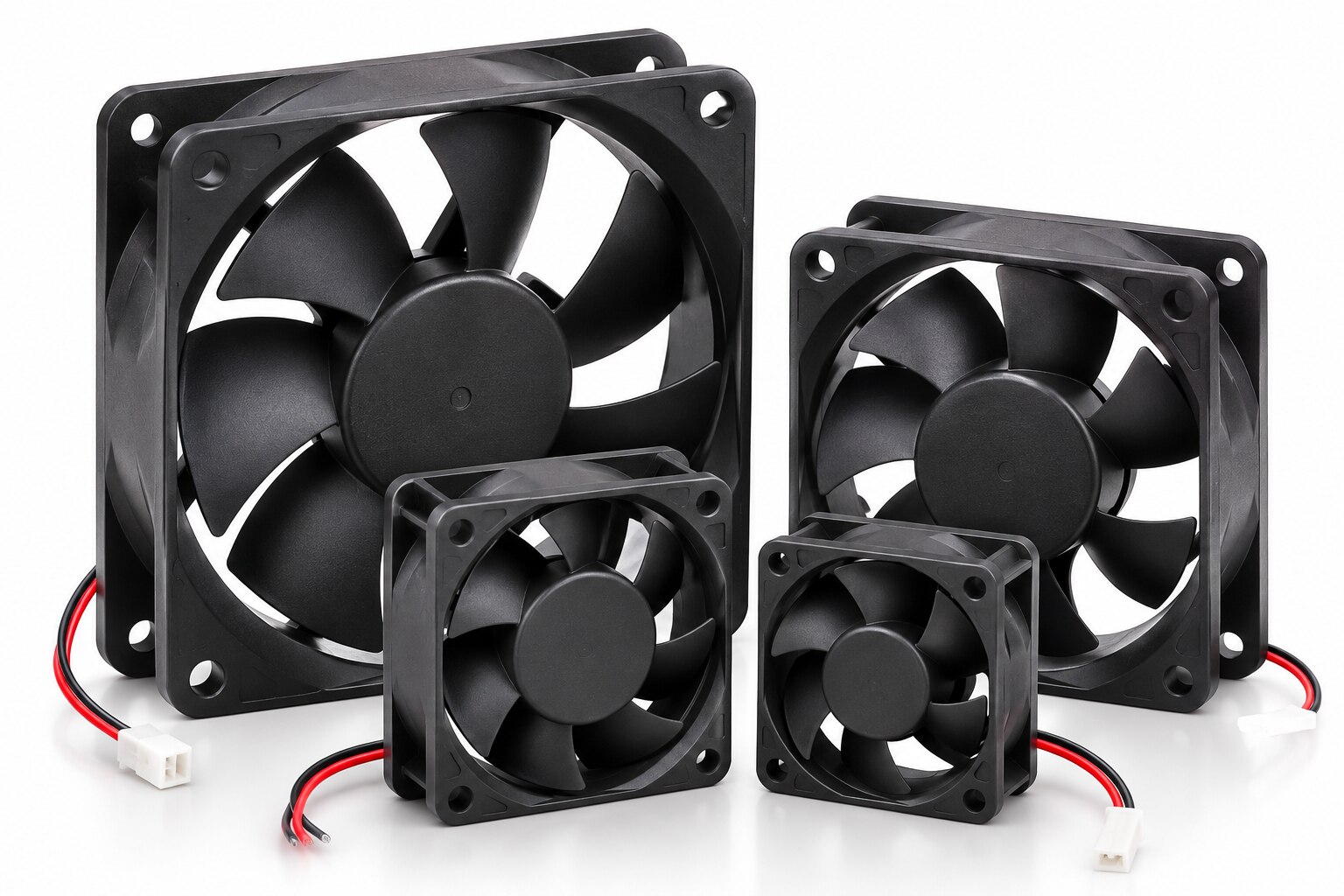
Before ordering, match the replacement fan’s mechanical envelope, electrical load and control interface; a fan that fits the cut-out can still deliver the wrong airflow or overload the supply.
| Check | Match exactly | Failure if ignored |
|---|---|---|
| Mechanical | Frame size, thickness, hole spacing, mounting orientation, rotation arrow, airflow direction, bearing type and temperature rating | The fan may rub, reverse airflow, loosen under vibration or fail in Delhi heat |
| Electrical | Voltage range, rated current, startup current, wire polarity and connector pinout | The supply may trip, the motor may not start or the connector may burn |
| Control | PWM input type and frequency, minimum duty cycle, tachometer pulses, alarm output and logic levels | Low duty can stall the rotor, while a missing tach signal can trigger a false or missed fault |
Do not use PWM to force operation below the manufacturer’s minimum speed. Configure a minimum duty cycle and confirm stable tachometer feedback; repeated starting adds electrical and acoustic stress.
After installation, record current, commanded speed, tachometer output, noise, vibration and enclosure temperature. Compare those readings during future dc fan maintenance in delhi. A gradual current or vibration increase at the same speed points to wear; sudden tachometer loss points to wiring, control or fan electronics.
For dc cooling fan care for equipment in delhi, inspect the fan and filter together because dust-packed blades and rising filter resistance change the operating load. If specifications conflict, MAXGTECH can help reconcile the datasheet, connector drawing and replacement BOM before you release the order.
Frequently asked questions
How often should you maintain a DC cooling fan in Delhi equipment?
Inspect it weekly during normal operation, then shorten the interval when dust, heat or moisture increases.
How do you clean a DC cooling fan without damaging it?
Isolate power, prevent the rotor from spinning freely, remove loose dust, and keep moisture away from electronics.
What should you inspect when a DC fan becomes noisy or weak?
Check blocked filters, dust-packed blades, worn bearings, damaged wiring, loose connectors and restricted airflow.
How do you confirm cooling performance after maintenance?
Verify the fan starts reliably, moves air in the intended direction, runs without abnormal noise and keeps equipment temperatures within limits.
What must you verify before installing a replacement DC cooling fan?
Match the fan voltage, current, dimensions, mounting holes, connector, airflow direction, speed signal and required airflow.
Keywords